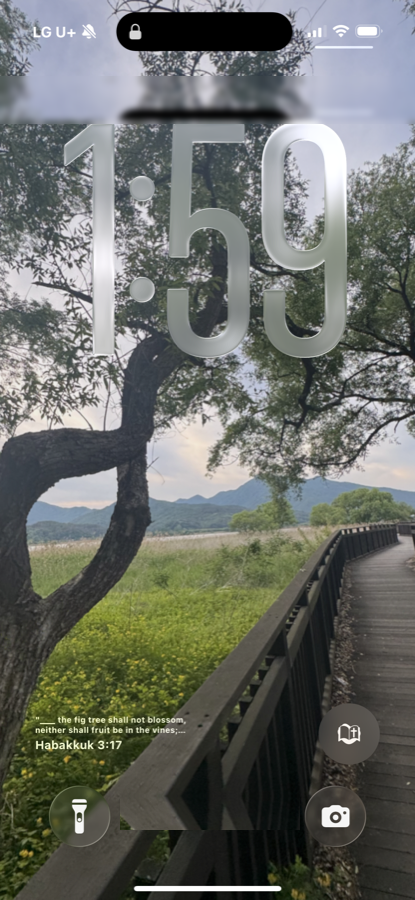
How do you add a Bible verse widget on iPhone?
You can add a free Bible verse widget on iPhone in under a minute using Bible Widget. Install the app, long-press your home or lock screen, tap the plus button, choose Bible Widget, and pick a size — a fresh KJV verse of the day then appears automatically. There's no account and no paywall to start.
The facts
- Free core — the daily verse widget is free, no paywall before you see it work.
- No account, no sign-up, no email required.
- Works on both the home screen and the lock screen (iOS 16+).
- Small, medium and large widget sizes.
- Scripture is the King James Version (KJV), public domain.
Step by step
-
Install Bible WidgetGet Bible Widget free from the App Store.
-
Long-press the home screenTouch and hold an empty area of your home screen until the icons jiggle.
-
Tap the plus buttonTap the + in the top corner to open the widget gallery.
-
Choose Bible WidgetFind Bible Widget, pick a size, and tap Add Widget.
-
Pick a themeOpen Bible Widget and choose a background, font and theme you like.
FAQ
Is the Bible verse widget free?
Yes. The daily verse widget, the full KJV/ASV Bible reader, and highlights are always free in Bible Widget. Premium themes and audio are an optional subscription.
Do I need an account?
No. Bible Widget needs no account, email or login — just install and add the widget.
Which Bible translation does the widget use?
Bible Widget uses the King James Version (KJV) and American Standard Version (ASV), both public domain.
More Bible Widget guides
lock screen bible verse
best bible verse widget app
free bible widget no account
daily bible verse widget
Updated August 31, 2026